How to promote your landscaping business on YouTube
Most landscapers quit YouTube because they measure it like a TikTok creator, watching subscriber counts that never move. That is the wrong scoreboard. YouTube is the second-largest search engine on earth and it is owned by the first, so a five-minute paver-patio makeover titled for your town keeps surfacing in “backyard landscaping ideas Fort Wayne” searches for two or three years after you upload it. You are not chasing fame. You are building a library of ranked videos that answer the exact questions a homeowner types the week before they hire someone.
Shoot the makeover, not the monologue
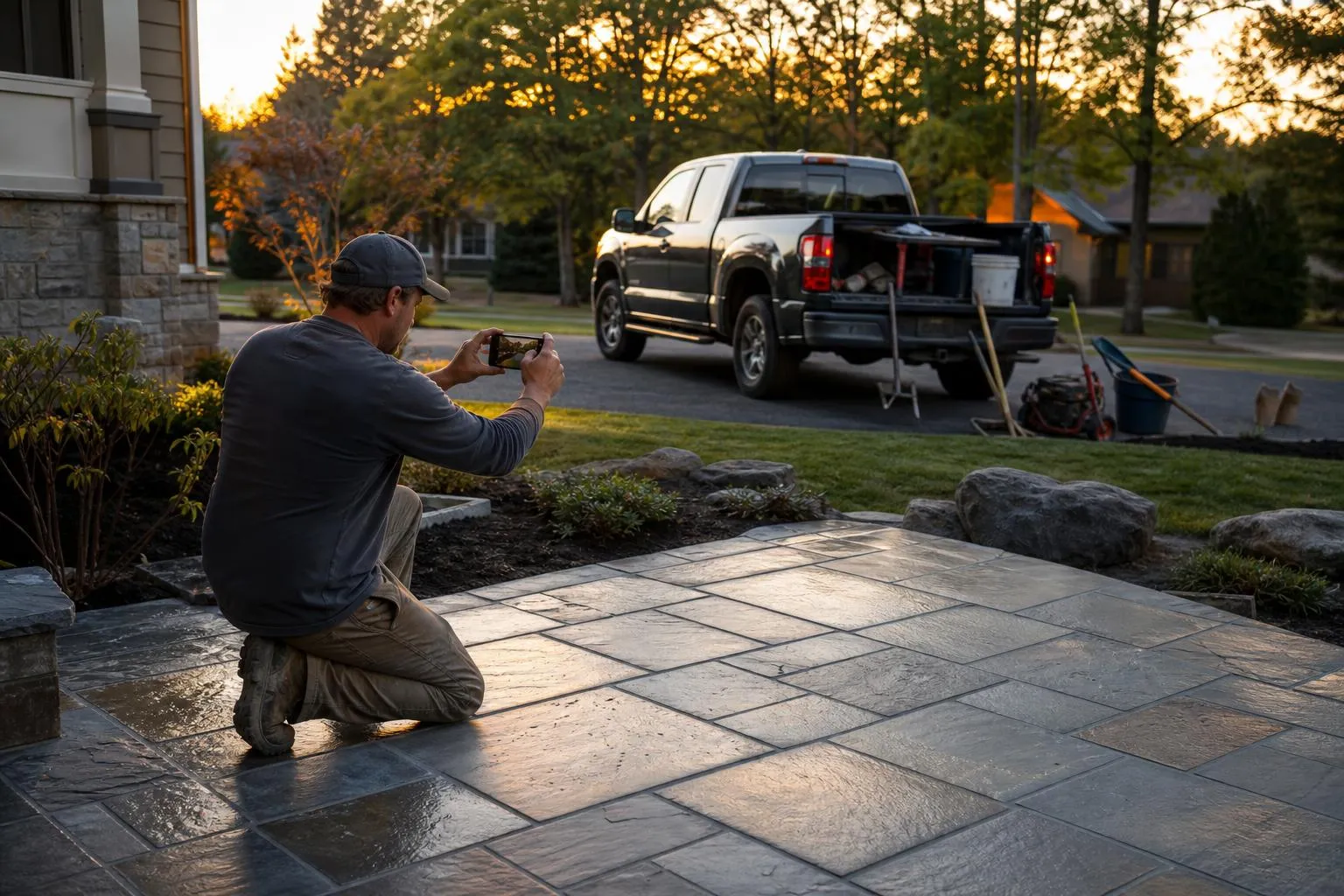
The single video type that works for a landscaping channel is the before-and-after transformation, and the reason is watch time. A homeowner will sit through six minutes to see a weed-choked side yard turn into a mulched bed with steel edging, but they will click away from thirty seconds of you talking into the camera about mulch types. Set a phone on a $90 DJI Osmo Mobile gimbal, film a slow walk of the “before” while you narrate the problem in one sentence, cut to a few clips during the work, then film the identical walk of the “after.” That single arc is the whole video.
You are not making cinema. Vertical Shorts of a stripe-mowed lawn or a stump grind get quick reach, but the long-form horizontal makeover is what ranks and holds. Keep your first ten videos to one job each and you will never run out of subject matter, because every install is content.
Title and tag for the town, not the topic
A video called “Backyard Makeover” competes with the entire planet and ranks for no one. A video called “Backyard Landscape Makeover in Round Rock, TX | Paver Patio + Sod” competes with the three other landscapers in your county, and it shows up in Google’s local video pack when a nearby homeowner searches. Put your city in the title, the first line of the description, and the tags. Write a real 150-word description that names the services (paver patio, French drain, sod install) and drop your estimate link and phone number in the top two lines where they show without a “more” click.
| Weak generic title | Local ranking title |
|---|---|
| Lawn Care Tips | Spring Lawn Renovation in Boise | Aeration + Overseed |
| How to Install Sod | Sod Install Cost & Process, Naperville IL Backyard |
| Retaining Wall Build | Fixing a Failing Retaining Wall in Asheville, NC |
| Landscape Design Ideas | Small Front Yard Makeover, Sacramento | Drought-Tolerant |
The right-hand titles look boring. Boring is what gets found. You want the exact phrase a local homeowner would type, not the phrase that sounds impressive.
Send every viewer somewhere they can buy
Views do not deposit into your bank account; booked estimates do. The person watching your Naperville sod video is not entertaining themselves, they are deciding whether to call. Make the next step obvious. First line of the description: “Get a free estimate: yoursite.com/estimate.” Pin a top comment with your phone number and service area. Add a YouTube end screen linking to your website and your most-watched video. In the video itself, say the call-to-action out loud once, plainly, at the end.
This is also the cleanest handoff to real lead flow. YouTube warms a homeowner up; your website and phone close them. If you want to understand the full local funnel that a channel feeds into, how to promote your landscaping business locally covers the Google Business Profile and review engine that turn a curious viewer into a scheduled visit.
Decide: film it yourself or hire it out
You can shoot and edit on your phone, or you can pay someone. The honest tradeoff depends on whether you will actually keep going.
DIY phone footage vs hired videographer
- Costs nothing but a $90 gimbal and 30 minutes of editing in CapCut, so it survives a slow month with no budget.
- You are on every job site anyway, so capturing footage is a reminder, not a scheduling problem.
- Raw, real phone footage of dirt and sweat out-converts polished ad-agency video for this trade because it reads as trustworthy.
DIY phone footage vs hired videographer
- Editing eats the two evening hours you should spend quoting jobs, and that is where the burnout starts.
- Inconsistent audio and shaky pans can undercut the “professional” impression on a $15k design-build pitch.
- Most owners publish four videos, get bored, and abandon a half-built channel that then looks dead to prospects.
The rule that keeps it alive: film DIY for the first 15 videos to prove the channel earns calls, then pay a local videographer $150 to $300 per edit only once the estimate requests justify it. Do not hire before you have proof.
Getting found is the part that decides everything
YouTube is a patient channel, so start the free pieces today and let them compound. Create the channel under your Google account, add a clean logo and a banner with your service area and phone number, and upload the two makeover clips already sitting on your phone. Title them for your town. That is a real ranking asset live by tonight, and it costs nothing.
The harder part is turning that traffic into booked work. A video sends a homeowner to your site, but if that site loads slowly on a phone, hides the estimate button, or shows no reviews, the click evaporates and you never know it happened. Building the site that actually converts a searching homeowner is the work we do; to have it handled instead of guessed at, get a free video walkthrough of your website. For the Google Ads and local SEO that pair with a channel, see our services. And if you have the business idea but not the plan behind it, start at expntl.com.
Frequently asked questions
How many subscribers do I need before YouTube helps my landscaping business?
Zero. Subscribers are a vanity number for a local service business. What matters is whether your videos are titled so a homeowner in your service area finds them in search, then clicks through to your estimate link. A channel with 90 subscribers and ten well-ranked local makeover videos out-earns one with 50,000 subscribers and no local intent.
What equipment do I actually need to start?
The phone in your pocket, a $90 gimbal like the DJI Osmo Mobile for stable walking shots, and a free editing app like CapCut. Add a $30 wireless lav mic if you narrate on camera near road noise. Do not buy a mirrorless camera and lighting kit until you have proven the channel books jobs; polished footage does not out-convert honest phone footage in this trade.
How often should I post?
Consistency beats volume. One solid before-and-after makeover a month, titled for your city, builds a ranked library faster than a burst of five videos followed by silence. A channel that goes quiet for six months reads as a dead business to a prospect, so pick a cadence you can actually sustain year-round through the busy season.
Should I run YouTube ads for my landscaping business?
Usually not first. Organic ranked makeover videos are free and compound for years, while YouTube video ads interrupt people who were not searching for landscaping. Spend the ad budget on Google Search instead, where you catch homeowners actively looking; see how to run Google Ads for your landscaping business.
How do I know if YouTube is working?
Watch two numbers in YouTube Studio: traffic from “YouTube search” and clicks on the link in your description, not total views. Then ask every estimate lead where they found you and count the ones who say YouTube or “a video.” If ranked videos are sending a handful of estimate-page visits a month, the channel is doing its job.
Your move
Reading this does not book a job.
The owners who pull ahead are the ones who change one thing this week. If you want that one thing to be a website that sells and ads that put it in front of the right people, we build and run both for you.
Straight answer on whether we can help, usually the same day.