How to Promote Your Electrical Business on YouTube
YouTube is the slowest social channel for an electrical business and also the one that pays off longest. A single well-made video on “how to know when your panel needs replacing” can rank in Google search for five years and quietly feed leads every month. Unlike TikTok or Instagram, where a post evaporates in 72 hours, YouTube content compounds. The trade-off is that it takes more production effort per post, and you will not see direct leads for the first six months.
The Content Categories That Rank and Convert
Three content categories work for an electrical contractor on YouTube. Mix them.
- DIY-but-call-an-electrician-when content. The most converting type. Educate the homeowner about a problem (Federal Pacific panels, ungrounded outlets, hot outlets) and end with “call a licensed electrician.”
- Behind-the-scenes installs. 10 to 15 minute walkthrough of a panel upgrade, EV charger install, or generator install. Customers love these because they remove the mystery.
- Customer testimonial and case-study videos. 4 to 6 minutes showing a finished job with the customer talking about the experience.
Skip: long rants about other electricians, code-update lectures that feel like college lectures, and music-video-style aerial drone shots. Customers want competence signals, not entertainment.
The DIY-but-call format converts because it catches homeowners at the exact moment of problem awareness. The person searching “outlet hot to the touch” has the problem today, in their house, right now. Teaching them what the symptom means builds enough trust that “call a licensed electrician for this one” lands as relief rather than a sales pitch. And the generosity costs you nothing: the viewers confident enough to fix it themselves were never going to hire anyone, while the larger group who realize mid-video that this is beyond them hire the person who taught them. You lose the customers you never had and win the ones who were always going to pay someone.
The Search-Intent Advantage
The structural difference between YouTube and the short-form platforms is intent. TikTok and Instagram interrupt people who came to be entertained; YouTube answers people who arrived with a question. A viewer who typed “panel keeps tripping breaker” is a homeowner mid-problem, which is why YouTube’s conversion per view embarrasses every other social channel even at one-tenth the view counts.
The second structural edge is the competition void. You cannot outrank a two-million-subscriber DIY channel on “how to wire an outlet, ” and you do not need to. The winnable searches are the local ones: “panel upgrade cost Denver” has almost no video competition because the contractors who could film it do not, and the national YouTubers are not licensed in Denver. Your license plus your zip code is a moat that a bigger channel cannot cross. That is the entire strategic logic of the channel, and it is why the title formula below leans so hard on geography.
Title and SEO That Wins
YouTube is a search engine. Title your videos for search, not clickbait.
- “How to Tell If Your Electrical Panel Needs Replacing (Austin Electrician)”
- “Federal Pacific Panel Replacement Cost in Denver (Real Job)”
- “What a $2,500 EV Charger Install Actually Looks Like”
- “Panel Upgrade vs Subpanel: Which Do You Need? (Phoenix)”
- “Aluminum Wiring Replacement: Cost and Process Explained”
Include your city or service area in 60 to 80 percent of titles. Local-keyword YouTube videos rank in Google video search, which is the second-largest search engine. A video titled “Federal Pacific Panel Replacement Austin” can rank for that exact local search and generate 1 to 5 qualified leads a month.
Production That Doesn’t Break the Bank
Quality matters but you do not need a cinema rig.
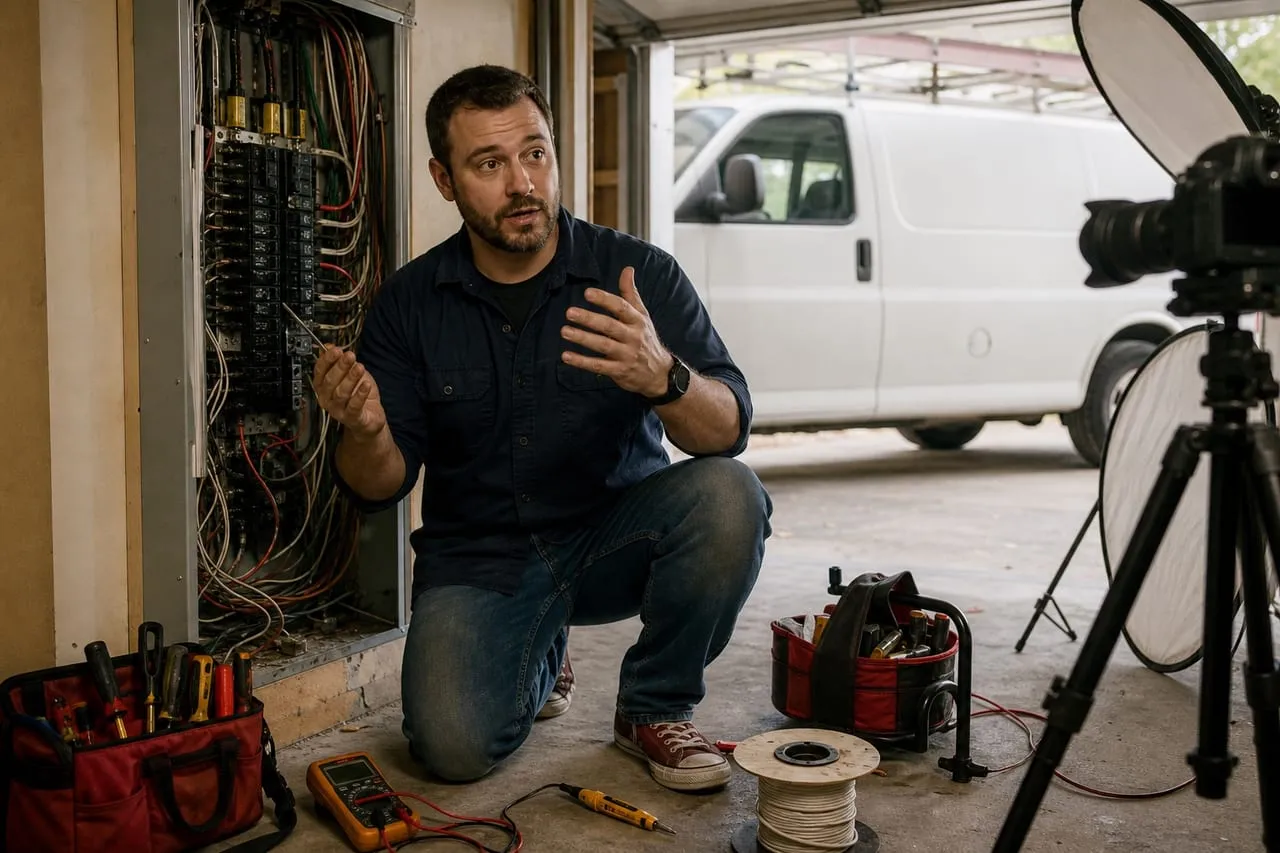
- Phone camera (iPhone 13+ or modern Android) on a tripod
- A $60 clip-on lavalier mic for clean audio (this matters more than camera)
- Natural light or a $40 LED work light
- Free editing software: DaVinci Resolve, CapCut, or iMovie
- One thumbnail in Canva per video
Production budget should be effectively zero in year one beyond the lav mic. Total cost of starting a YouTube channel: $80. Total cost to make it work: 8 hours a week for 12 months.
The thing that kills contractor channels is not bad lighting, it is perfectionism. The owner who spends twenty hours polishing video three quits by video eight, and a dead channel with three beautiful videos loses to an active channel with forty plain ones. Viewers forgive shaky footage and ugly thumbnails; the only production sin they punish is audio they cannot hear over a shop vac, which is why the mic is the single purchase that matters. Set a hard cap on production time per video and let the reps, not the rig, raise the quality.
Posting Cadence and Consistency
YouTube rewards consistency.
- 1 to 2 videos per week, minimum
- 5 to 12 minutes long for educational content
- 8 to 18 minutes for install walkthroughs
- Upload at the same day and time each week
- Cross-post a vertical clip to Shorts, Instagram Reels, and TikTok
Plan 4 to 8 hours of production per video including filming, editing, thumbnail, and upload. That sounds like a lot, and it is. The trade-off is the long-tail SEO. A video published in 2024 still earns leads in 2027.
The way working contractors actually sustain the cadence is batching: film two or three videos back-to-back on a slow Saturday morning while the camera is already set up, then schedule the uploads across the next two weeks. A busy season then costs you a filming day, not a month of silence. Around video eight to twelve, the next question is whether to keep editing yourself.
Outsourcing the edit: pros
- Buys back 2 to 4 hours per video, the single biggest time block
- The cadence survives your busy season, which is exactly when channels die
- Upwork and Fiverr editors run $40 to 200 a video, cheap against a $130 billed hour
Outsourcing the edit: cons
- $320 to 1,600 a month at a two-video-a-week pace
- Turnaround adds days, so timely topics can go stale
- An editor who does not know the trade can polish the authenticity out of the footage
Either way, keep the scripting and filming in-house forever. Your face, your voice, and your panel are the asset; the cuts are just packaging.
What YouTube Actually Delivers
Realistic ROI projection for a contractor posting 1 to 2 videos a week in a metro market:
| Phase | Views per video | Leads per month |
|---|---|---|
| Months 1 to 3 | 20 to 200 | 0 |
| Months 4 to 6 | 200 to 1,500 | 0 to 2 |
| Months 7 to 12 | 1,000 to 8,000 | 3 to 12 |
| Year 2 | 5,000 to 30,000 | 8 to 30 |
| Year 3+ | Established library | 15 to 60 |
Plus the videos double as trust assets on your website, your GBP, and in customer emails. A customer watching a 12-minute walkthrough of your panel install closes at a higher rate than one who just sees a Google ad. Put that to work deliberately: embed your three best walkthroughs on the service pages of your website, and attach the relevant video to every emailed quote. A $2,400 panel quote with a video of you doing that exact job is a different product than a number in an email.
For comparison with shorter-form channels see how to promote on TikTok and how to promote on Instagram.
Frequently asked questions
How long until YouTube produces leads?
6 to 12 months for the first meaningful lead trickle. By year two it is a real channel. Quitting at month 3 wastes the investment.
Should I monetize the channel?
Ad revenue is a rounding error for a service-business channel. The real revenue is the jobs YouTube books for you. Do not optimize for ad revenue.
Do I need to be on camera?
Yes. Faceless YouTube channels do not build trust for a service business. Customers want to see the person doing the work.
Can I outsource the editing?
Yes, once you have 8 to 12 videos proving the concept. Editors on Upwork or Fiverr charge $40 to $200 per video. Keep the filming and scripting in-house.
Your move
Reading this does not book a job.
The owners who pull ahead are the ones who change one thing this week. If you want that one thing to be a website that sells and ads that put it in front of the right people, we build and run both for you.
Straight answer on whether we can help, usually the same day.