How to promote auto repair shop on Youtube
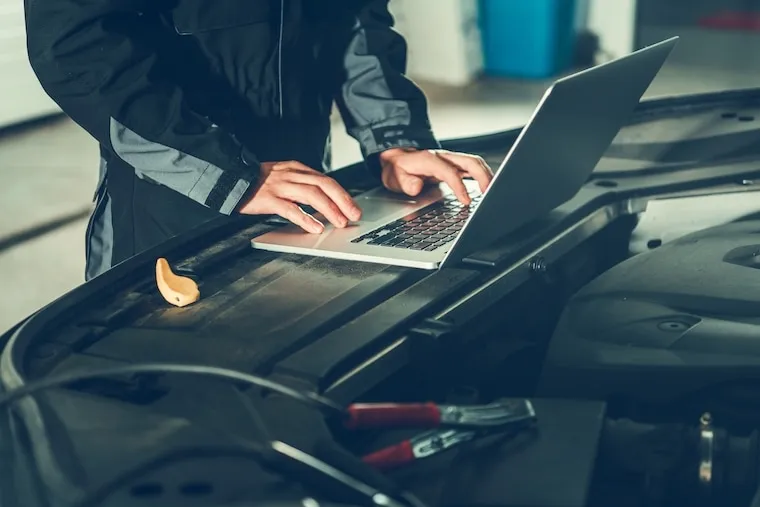
A repair customer searches YouTube before they search Google. They type “why is my car shaking when I brake” at 11pm, watch a mechanic explain it calmly, and that mechanic is now the shop they trust. For an auto repair shop, YouTube is not a place to go viral. It is a place to become the local expert a worried driver feels like they already know before they ever call. One good diagnostic video keeps booking jobs for years.
What to film when you fix cars all day
You are sitting on a content goldmine and walk past it every day. The work is the show. The videos that perform answer the exact questions drivers panic-search: “why is my check engine light on,” “what does a bad wheel bearing sound like,” “is it safe to drive with worn brake pads.” You already explain these at the counter ten times a week. Point a camera at it.
Five formats carry a local shop channel:
- Symptom explainers. Two to four minutes on one noise, light, or vibration. Your search magnets.
- Before-and-after repairs. A rusted brake line, a shredded serpentine belt, a coolant-soaked plug: show the failure, then the fix.
- Honest “should you DIY this” videos. When to do it yourself and when not to. It builds the trust that books the hard jobs.
- Buyer-protection content. “What a pre-purchase inspection catches” or “things a dishonest shop will upsell you.”
- Shop and team tours. Low priority, but they humanize the brand against the dealer.
Keep them tight. A viewer wants the answer fast, then a reason to trust the person giving it.
The gear: what you actually need to start
The good news is that you already own the hardest part of a film set, which is light. Your bay has bright overhead lighting and doors that flood the space with daylight. You do not need a studio. You need clean audio and a steady, in-focus picture, which costs less than a set of rotors.
| Item | Budget pick | What it does | Typical cost |
|---|---|---|---|
| Camera | A recent smartphone | Shoots clean 4K in good light | $0, you own it |
| Tripod or clamp mount | Phone tripod with bay-rail clamp | Steady, hands-free shots | $20 to $60 |
| Microphone | Wireless lavalier clip-on | Clear voice over shop noise | $30 to $150 |
| Lighting | One LED panel or work light | Fills shadows under the hood | $0 to $120 |
| Editing software | DaVinci Resolve or CapCut | Cuts, captions, intro | $0 to $300 |
The single most important upgrade is the microphone. A shop is loud: compressors cycle, impact wrenches scream, and a phone’s built-in mic turns your explanation into mush. A $30 to $150 wireless lavalier clipped to your collar fixes most of what makes amateur shop videos unwatchable. Spend there before the camera. For the wider tooling picture, see buying equipment.
Buy a real camera vs film on your phone
- A used mirrorless body ($400 to $900) gives sharper detail on small parts and corroded threads.
- Better low-light handling for darker corners of the bay and under-vehicle shots.
- Manual focus so a wandering autofocus does not blur the exact part you point at.
Buy a real camera vs film on your phone
- $400 to $1,500 in camera, lens, and storage before a single view.
- A learning curve in settings that eats the time you should spend filming.
- A modern phone already shoots 4K, so the upgrade is invisible to most viewers.
The decision rule is phone first, camera later: film on the phone you own until you have published 20 videos, then upgrade only if detail shots are genuinely holding you back.
Cadence and the economics of an evergreen channel
Here is the part nobody tells you. A repair-shop channel is a slow asset, not a fast ad. You are building a library of evergreen answers that rank and book jobs quietly for years. A symptom explainer published today can still pull in a worried driver three years from now, long after a Facebook post has scrolled away. The cost is mostly your time; the return is spread across the video’s whole life.
So set a realistic cadence of 1 to 2 finished videos a month, filmed in batches: shoot four to six explainers back to back on one slow afternoon, then edit and schedule them over the following weeks. Most shops that quit tried to post weekly and burned out by month two, before the back catalog could compound. Two a month for a year is a 24-video library that works while you sleep. To keep work flowing alongside it, see how to grow an auto repair shop.
Get the free wins right before you spend a dime
A few things on YouTube are genuinely free and genuinely matter, so do these yourself. Claim your channel using your real shop name plus city. Fill out the description with your services, service area, hours, and a website link. Categorize under “Autos & Vehicles.” Pin a comment on every video with your phone number and a “call to book” line. None of this costs a dime, and all of it makes a worried driver likelier to call.
What is not a free DIY win is the part that turns views into booked jobs. Plenty of shops rack up views and book almost nothing, because the traffic lands on a slow, generic website that does not convert. Here is what GOOD looks like once the click happens:
- The page loads in under two seconds on a phone, since that is where YouTube viewers are.
- The phone number is tap-to-call and visible without scrolling.
- Online booking exists, because someone watching at 11pm will not call during business hours.
- The page matches the video’s promise: a brake video lands on brake service, not a generic homepage.
- Tracking is in place so you know which videos actually drive calls.
This is deceptively hard, and getting it wrong is expensive because you pay in lost jobs, not a number on an invoice. Page speed, mobile layout, the booking flow, and conversion tracking are exactly what we build for repair shops. If your site cannot catch the demand your videos create, the videos advertise for someone else. Get a free video walkthrough.
The same gap shows up beyond the website. Ranking against established channels, the on-site SEO so a viewer who searches your shop name later finds and books you, and paid promotion that does not just burn cash are each a discipline, not a checkbox. That work is what we do: see how to advertise an auto repair shop for the wider picture, and start at our services when you want it built and run for you. If you have a bigger idea and need a plan, expntl.com is where that starts.
A channel and your local presence reinforce each other. Pair this with how to promote an auto repair shop locally so the trust you build on video shows up in your map listing.
Frequently asked questions
How long until a YouTube channel brings in customers?
Expect a slow ramp, often 3 to 6 months before videos rank and pull steady local views. This is an evergreen asset, not a quick ad, so the payoff compounds as your library grows. Shops that quit usually do so before month four, right before the back catalog starts to work.
How many subscribers do I need to get jobs?
Almost none. A local shop is catching worried drivers who search a symptom and land on your video, not chasing a million subscribers. A channel with 300 subscribers books real jobs if the videos answer the right questions and the site behind them converts.
Should I hire a video editor or do it myself?
Edit it yourself at first using free software like CapCut or DaVinci Resolve, because raw authenticity from the actual mechanic beats polished generic clips. Once the channel is proven, outsourcing editing for $30 to $100 per video is a reasonable upgrade.
My videos get views but no calls. What is wrong?
The leak is almost always after the click, not in the video. If the website your viewers land on is slow, hard to use on a phone, or has no easy way to book, you are sending warm traffic into a dead end. Fixing the destination is exactly what we do; get a free video walkthrough to see the difference.
Your move
Reading this does not book a job.
The owners who pull ahead are the ones who change one thing this week. If you want that one thing to be a website that sells and ads that put it in front of the right people, we build and run both for you.
Straight answer on whether we can help, usually the same day.